
Our Products Details
From Elevator Intercoms, POE over 2 wire, Cellular Gateways, Call Center Solutions, and more!
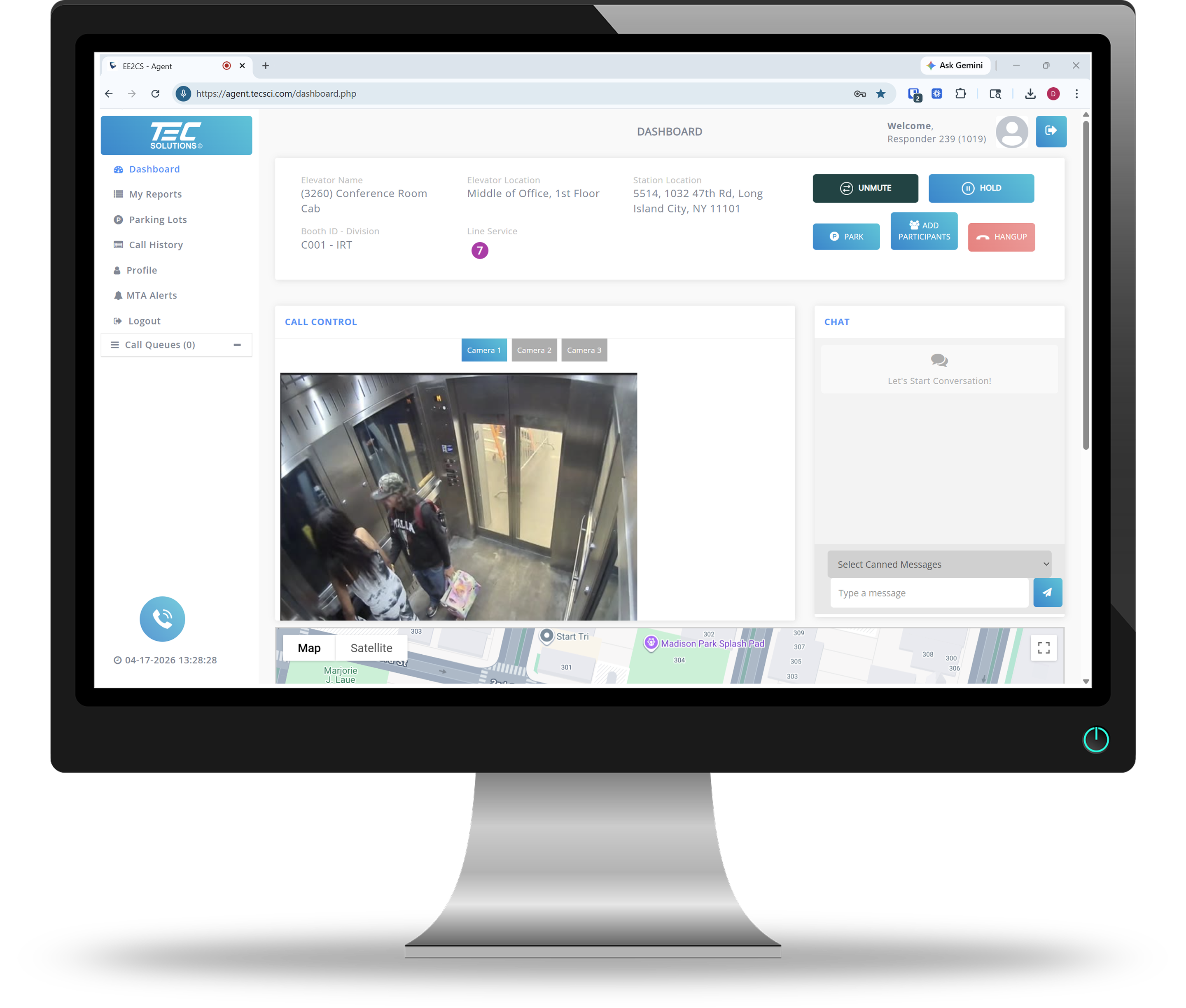
Agent panel
Features


Receiving Incoming Calls
Reliably receives calls from elevators and can be received when the call agents are unavailable, ensuring reliable communication with the elevator passenger.

Video Feed
Displays four video feeds from 32 cameras, which automatically changes every 20 seconds, making it easier to monitor elevator traffic.

Station Director
Contains the list of elevators in the station so that app user can easily locate elevators and communicate with them directly.

Reject Call from Empty Elevator
Gives users the option to reject call when the call comes from an empty elevator.
Speed Dial
Enables the app user to quickly call back elevators when a call has been disconnected, ensuring that communication is never lost.

Call History
Keeps track of all incoming calls, missed calls and outgoing calls.

Dial Elevator
Allow user to initiate calls to elevators.

Sent Preset Message
Offers pre-set messages for app users to easily reply to elevator calls, saving time and improving communication.
VNC Server
VNC (Virtual Network Computing) is a graphical desktop-sharing system that uses the Remote Frame Buffer protocol (RFB) to remotely control the phone system. It transmits the keyboard and mouse input from one computer to phone, relaying the graphical-screen updates over a network.


